
First of all, I love the idea of Dataverse image columns in Power Pages. Having structured data around our images, being able to easily output in lists and forms or retrieve with fetch XML / the entities object for custom UI work, etc. All good… in theory. See my post here for why I think they’re so awesome
Gotcha!
The main drawback has always been the slow performance compared to the other image sources available to us; note attachments, Azure blob or even images hosted on an external service like ImageKit.
Why so slow?
Using the image URL provided in liquid gets the image from a download.aspx endpoint and that round-trip is typically slow.
The experiment
I experimented with various things;
- Lazy loading
- Decoding asynchronously
- Retrieving with the web API and JavaScript and then appending to the page
- Retrieving the image as a file vs base64
Test results – for the nerdy among us…
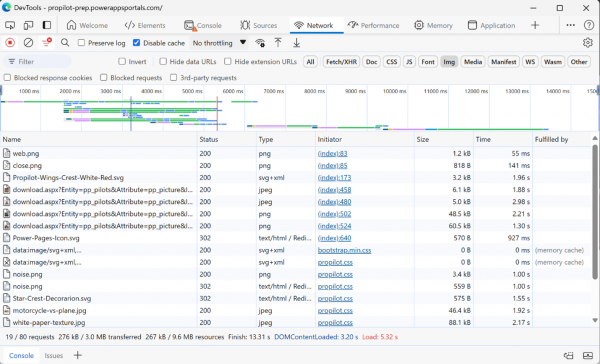
144px x 144px thumbnails with download.aspx
A total of 8.37 seconds. The worst performance there being 2.98s for a 144px x 144px image!
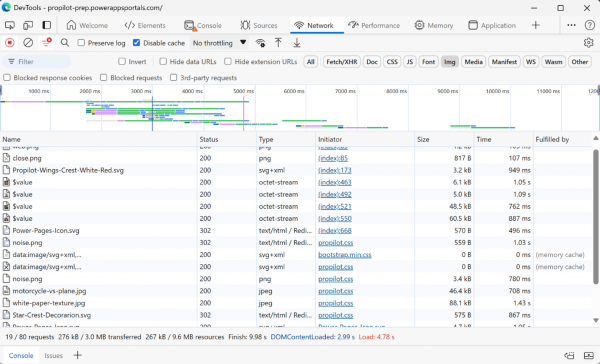
144px x 144px thumbnails with direct links and the web API
A total of 3.78 seconds… less than half the time to retrieve the exact same images
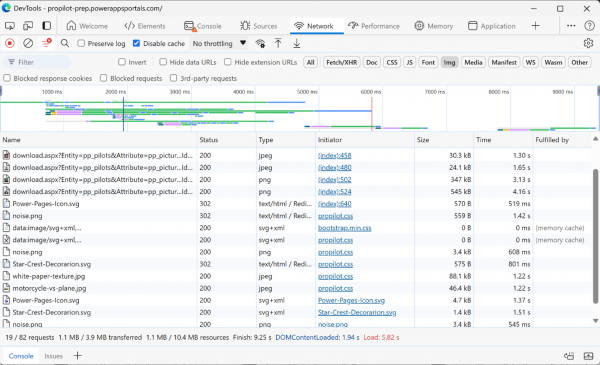
Full size images with download.aspx
10.24 seconds
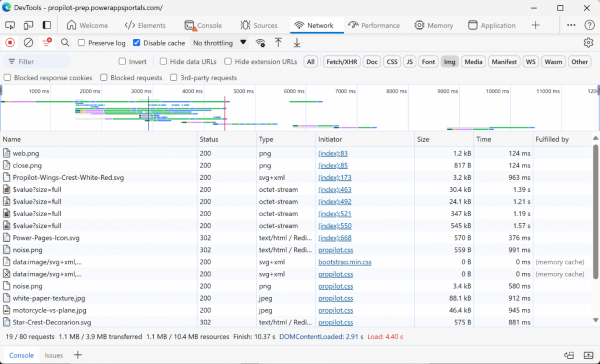
Full size images with direct links and the web API
5.36 seconds
And the winner is…
Using the web API URL, we can link directly to the image without the delay of download.aspx. This is what proved to be the fastest in my testing.
Here’s an example of the image source format:
Before (as provided by Fetch XML or entities object and used in form / list output):
https://propilot-prep.powerappsportals.com/Image/download.aspx?Entity=pp_pilots&Attribute=pp_picture&Id=a2959f59-e56e-ef11-a670-0022480a94ca
After
/_api/pp_pilotses(a2959f59-e56e-ef11-a670-0022480a94ca)/pp_picture/$value?size=full
Conclusion
Although it’s slightly more effort including the web API and crafting the URLs ourselves, the performance gains are well worth it. (See here for how to include and authenticate with the web API)

Comments
No comments yet. Spotted a gotcha I missed? Say so below.