
Scenario / Problem Statement
You’re working on some new functionality (or even just some content) for a public site and you want to preview it in situ on the portal. As it’s still in development, you want it visible just to you and a select few without making it visible to the world.
In many scenarios, we can simply restrict to only display for users with the Administrators web role by wrapping in this liquid condition:
{% if user.roles contains 'Administrators' %}
     // preview-only code or content here
{% endif %}
BUT… what if the change you’re working on is for anonymous users and you want to preview as an anonymous user, again with the caveat that only you and a select few should be allowed to see it?
Solution
URL query parameters to the rescue… these provide a nice straightforward workaround. I use preview=true
e.g.
https://myportal.com/case-list/?preview=true
or
https://myportal.com/case-details/?id=a69e551e-68a1-ed11-a81b-000d3adf4051&preview=true
We can access any of these parameters in liquid using request.params.nameofquerystring
e.g:
- request.params.id
- request.params.age
- request.params.preview
So all I need to do is wrap the code for my new functionality in a liquid condition, like so:
{% if request.params.preview == 'true' %}
     // preview-only code or content here
{% endif %}
…and whenever I want a sneak peak at the new functionality / content, all I need to do is add preview=true to my URL
Done 😊
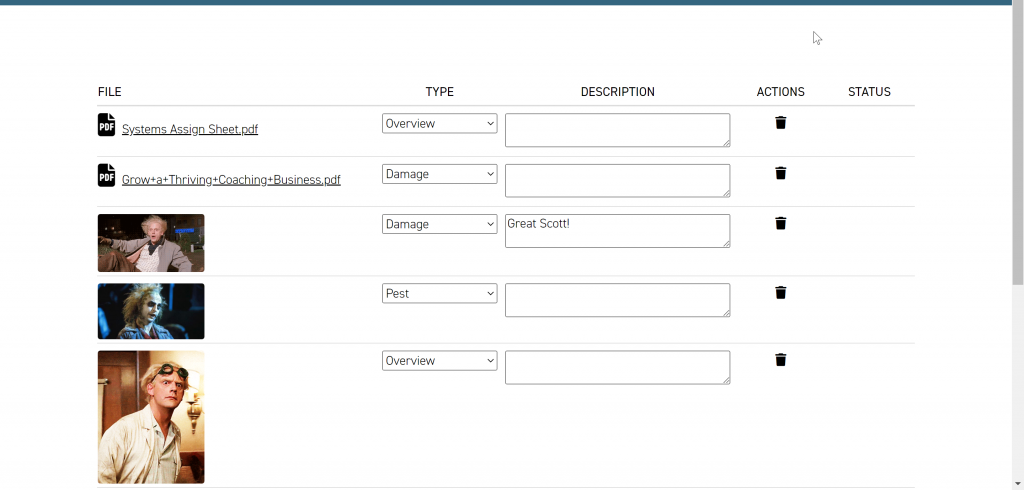
Result: without preview=true…
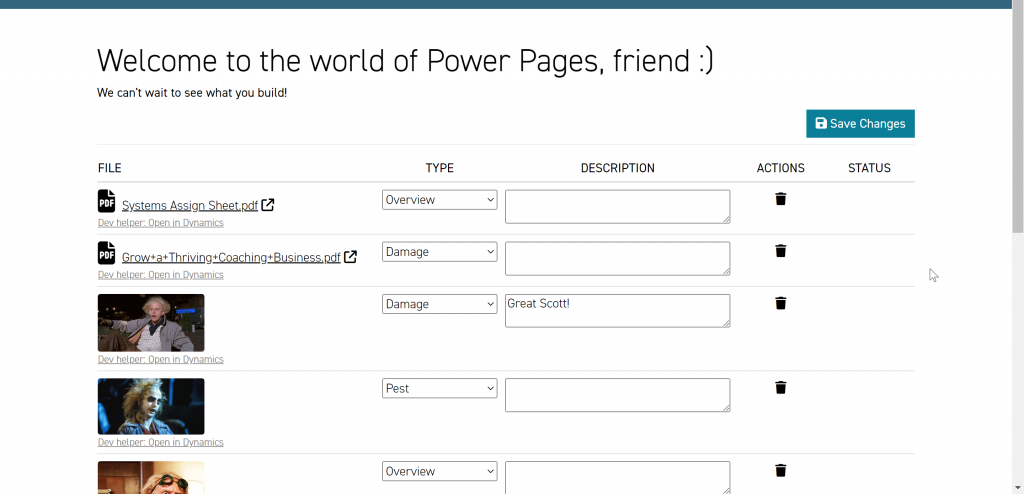
Result: with preview=true…
Here’s a brief introduction to query string parameters for anyone that’s new to them
Note – In case you’re new to query string parameters…
- They come after a /? at the end of the URL e.g. https://myportal.com/case-list/?preview=true
- They come in key-value pairs, separated by an = sign, like so:
- id= a69e551e-68a1-ed11-a81b-000d3adf4051
- preview=true
- age=40
If there are multiple query string parameters in the URL, they’re separated by an & symbol, like so:
https://enquiries.powerappsportals.com/Report-Damage/damage-report-evidence-editable-grid/?id=a69e551e-68a1-ed11-a81b-000d3adf4051&age=40&preview=true
You can name your query string parameter pretty much anything you like – just avoid special characters and spaces. Also, best not to use id for anything but passing the GUID of a record, as it’s already widely used in the inner workings of portals.
Once you’ve got the hang of them, there are tonnes of possibilities you can unlock and flexibility you can add to your templates with query string parameters. For a deeper dive, check out my other blog post at Custom URL Query Parameters for your Power Apps Portals – Franco Musso

Comments
No comments yet. Spotted a gotcha I missed? Say so below.